
Whether you’re recovering an old crypto wallet or migrating to a new hardware device, importing your seed phrase is a critical moment. It’s the digital equivalent of handing over the keys to your vault—and if done carelessly, it can expose your entire portfolio to risk. In the world of self-custody, your security is only as strong as your weakest link. Usually, that link is the keyboard or screen of an internet-connected device.
The Golden Rule of Cold Storage
The cardinal rule of crypto security is simple but unforgiving: if your seed phrase touches the internet, even for a split second, it is no longer truly yours. To maintain a “cold” status, you must eliminate the “hot” middleman—the computer or smartphone. This is why seasoned users prioritize hardware wallets that feature dedicated offline seed management. By utilizing devices that allow for on-device entry, QR-code communication, or encrypted SD card imports, you ensure that your 12 or 24 words never leak through a keylogger, a compromised clipboard, or a prying browser extension. True sovereignty starts with a physical barrier that no hacker, regardless of their skill, can cross.
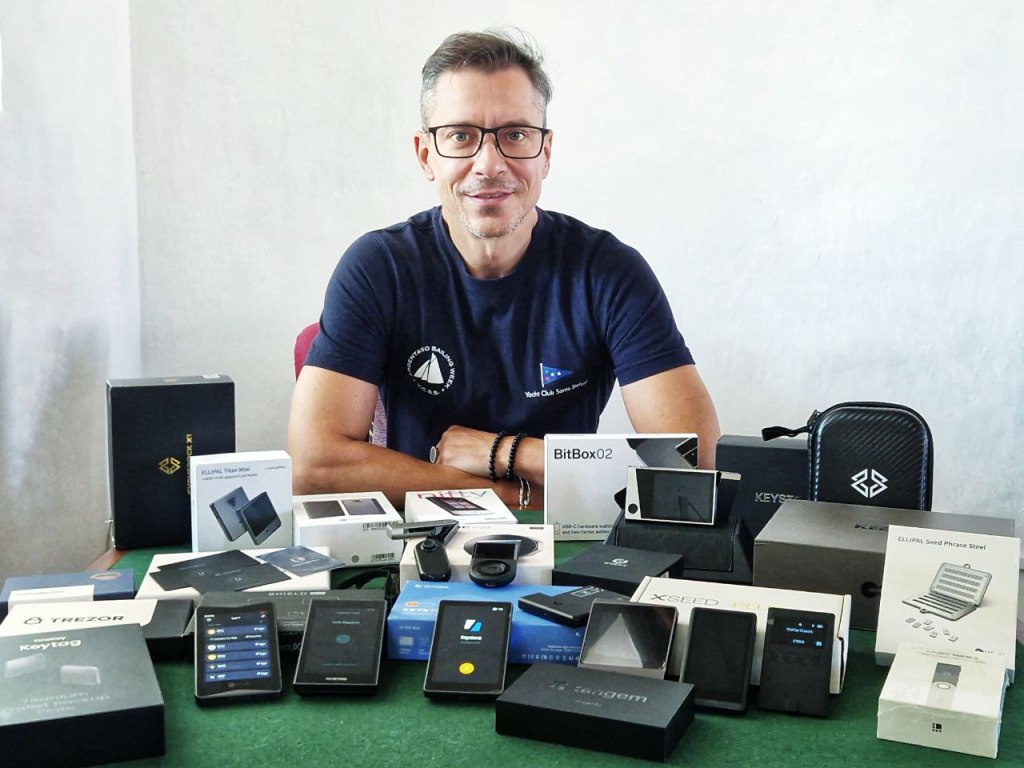
I’ve been using cold wallets for 10+ years now and I have reviewed all the top devices on the market throughout the years, so these are the Do’s and Don’ts I have comiled for your safety:
✅ The Do’s
🔒 Do Use a Fully Offline Device
Choose a hardware wallet that allows seed entry directly on the device, without needing to type anything into a phone or computer. Examples include:
- OneKey Pro, Classic 1S, Classic 1S Pure
- Ellipal Titan 2.0, Titan Mini, Xseed
- SafePal X1
- Cypherock
- Trezor Model T
- Keystone 3Pro
- Ledger Blue
- D’CENT Biometric
- SecuX models V20, W20, Nifty
These wallets keep your seed phrase air-gapped from the internet, minimizing exposure.
📵 Do Avoid Mobile Apps for Seed Entry
If your wallet requires seed entry via a mobile app (e.g., CoolWallet Pro, Tangem Cards, Tangem Ring), make sure the app is:
- Official and downloaded from a trusted source
- Used on a clean, malware-free device
- Connected only via encrypted channels (e.g., NFC or Bluetooth)
Even then, consider whether you’re comfortable typing your seed into a connected device.
🧠 Do Verify the Recovery Process
Before importing your seed:
- Double-check the word count (12, 18, or 24)
- Ensure the wallet supports BIP39 or your specific format
- Confirm that the wallet doesn’t transmit or store your seed externally
Some wallets like Cypherock X1 and Keevo use alternative recovery methods (e.g., smart cards or biometric keys), which may not involve traditional seed phrases at all.
🧪 Do Test with a Small Amount First
After importing your seed, send a small amount of crypto to the recovered wallet and verify:
- Address matches your original
- Transactions are processed correctly
- Backup options are functional
This ensures your recovery was successful before moving larger funds.
❌ The Don’ts
🖥️ Don’t Type Your Seed Into a Computer or Browser
Never enter your seed phrase into:
- A web browser
- A desktop wallet
- A cloud-based service
- A note-taking app
Even if the site claims to be secure, phishing and malware are rampant. Stick to hardware wallets with secure input methods.
📱 Don’t Assume Mobile Apps Are Fully Safe
Apps like Tangem and CoolWallet use encrypted transmission, but your seed still passes through a connected device. If you’re ultra-cautious, opt for wallets that allow seed entry only on the hardware.
🧩 Don’t Mix Wallet Standards
Not all wallets use the same derivation paths or standards. If you import a seed from one wallet into another, you might see different addresses. Always check compatibility — especially with wallets like Ledger, Trezor, or Ellipal.
🧻 Don’t Store Your Seed Digitally
Avoid saving your seed phrase in:
- Screenshots
- Cloud storage
- Password managers (unless encrypted and offline)
- Email drafts
Instead, use metal backups (e.g., Ellipal Xseed, CypherGrid) or paper stored in a secure location.
🧭 Final Thoughts
Importing your seed phrase is a moment of trust — between you and your hardware wallet. Treat it like a sacred ritual: slow, deliberate, and secure. The best wallets offer offline recovery, secure chip storage, and no reliance on mobile apps for seed entry.
If you’re unsure which wallet fits your security philosophy, start with one that never asks you to type your seed into a phone or computer. Your future self will thank you.
🔐 Seed Phrase Handling Comparison (Fully Updated)
| Wallet Model | Seed Entry Method | Internet Exposure Risk | Offline Recovery |
| Ellipal Xseed | Enter seed on offline Starter device | None | ✅ Fully offline |
| D’CENT Biometric | Enter seed on hardware wallet | None | ✅ Fully offline |
| CoolWallet Pro | Enter seed in mobile app (Bluetooth) | Minimal | ❌ Not fully offline |
| Ledger Nano X | Enter seed via device or Ledger Live app | Minimal (secure chip) | ❌ Not fully offline |
| Trezor Model T | Enter seed on device touchscreen | None | ✅ Fully offline |
| Keystone 3Pro | Enter seed on touchscreen (air-gapped) | None | ✅ Fully offline |
| Tangem Ring | Enter seed via mobile app (NFC transfer) | Minimal | ❌ Not fully offline |
| Tangem Cards 2.0 | Enter seed via mobile app (NFC transfer) | Minimal | ❌ Not fully offline |
| Ellipal Titan 2.0 | Enter seed on device (air-gapped) | None | ✅ Fully offline |
| Ellipal Titan Mini | Same as Titan 2.0 — smaller form factor | None | ✅ Fully offline |
| Keevo | Seed stored via biometric + carbon key | None | ✅ Seedless hybrid |
| SecuX Shield Bio | Enter seed on device with biometric auth | None | ✅ Fully offline |
| SecuX V20 | Enter seed on device via touchscreen | None | ✅ Fully offline |
| OneKey Pro | Enter seed on device (secure element) | None | ✅ Fully offline |
| OneKey Classic 1S Pure | Enter seed on device (not app) | None | ✅ Fully offline |
| OneKey Touch | Enter seed on touchscreen device | None | ✅ Fully offline |
| Cypherock X1 | Seed split across hardware + smart cards | None | ✅ Fully offline |
| SafePal X1 | Enter seed on device (air-gapped) | None | ✅ Fully offline |
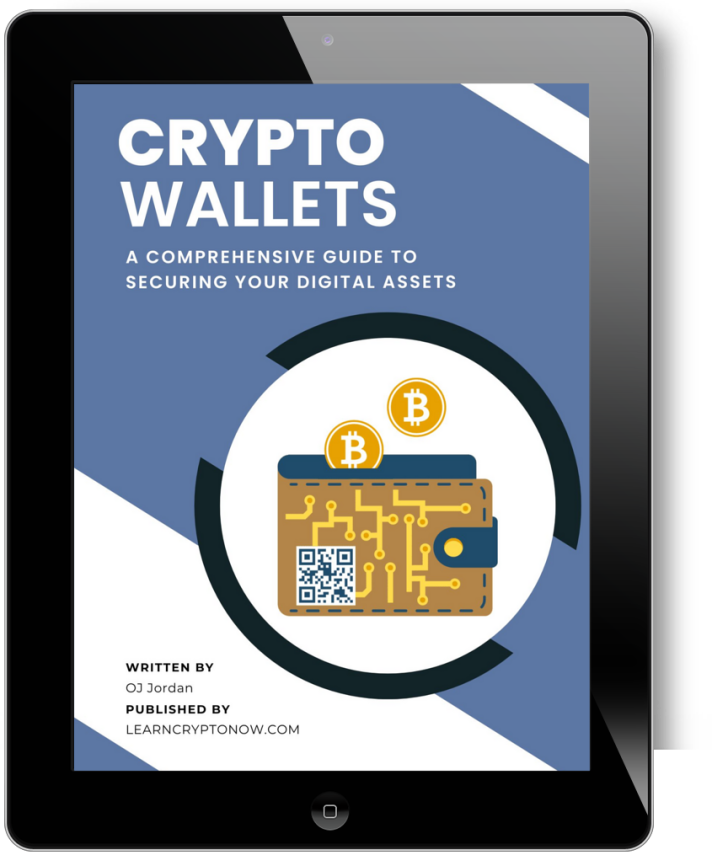
You can also download my eBook guide to all major crypto wallets – hot and cold, I talk about the differences between these, which ones I recommend from my personal experience and I go through all of the top hardware wallets there, so you can make the right choice which is the wallet for you. It’s a free eBook, just get it from this link.
☝These are my opinions, not financial advice, always DYOR.
 👉 👉 Sign Up for the Crypto Corner Newsletter and get more insight on the crypto markets, new releases and updates, plus my personal choice of coins to trade.
🚩OTHER TOP CRYPTO SERVICES: https://ojjordan.com/resources
💻Find me on:
🔹Twitter
🔹LinkedIn
🔹Clapper
🔹My Official Website: http://ojjordan.com

⚠️ DISCLAIMER ⚠️
The information contained in this video is for informational purposes only. Nothing herein shall be construed to be financial or legal advice. The content of this post reflects solely my own opinions. Purchasing cryptocurrencies poses considerable risk of losses.
Metamask Is Tracking Your IP and Wallet Address…
CRYPTO CORNER EPISODE 558 Market Analysis, Updates, News & Reviews In today’s episode I discuss the latest hot topics in crypto: ►Metamask Controversy – Is your Wallet Addy being Linked To Your IP Address? ►How To Earn Bitcoin using the Bitget Launchpool (4 days left only, hurry up) ►Win A Hardware Wallet Device from Keystone…

Steel Plates For Seed Phrase Protection | xSeed Plus Review
CRYPTO CORNER EPISODE 449 Market Analysis, Updates, News & Reviews In today’s episode I review my latest purchase – the metal back up for my seed/mnemonic phrases by SecuX. This is a complete kit containing: 3x Stainless steel plates1x Aluminium plates1x Metal letter stamps A to Z1x Engraving pen2x Fraudproof security stickers1x Plate Holder (leather…
My crypto wallet got hacked. All funds gone.
After being in crypto for the last 5 years, today I found out that I became a victim of a cyber attack. A wallet hack to be more precise. I haven’t used my Exodus wallet in many months, possibly more than 8 months actually, so I had a bit of a shock today, when I…

 Crypto-Corner